Blog
Video and Sound
How can a 2 megabit stream rebuild 187 MB a second of pixels? Part 11 explains key frames, blocks that only say what moved, motion vectors and corrections, hardware decoders, why busy scenes need more data, and how sound becomes samples and stays in step.
 Tan Kok XinHow a Computer Works
Part 11 of 13 in Cobler's How a Computer Works course. New here? Start with the course map.
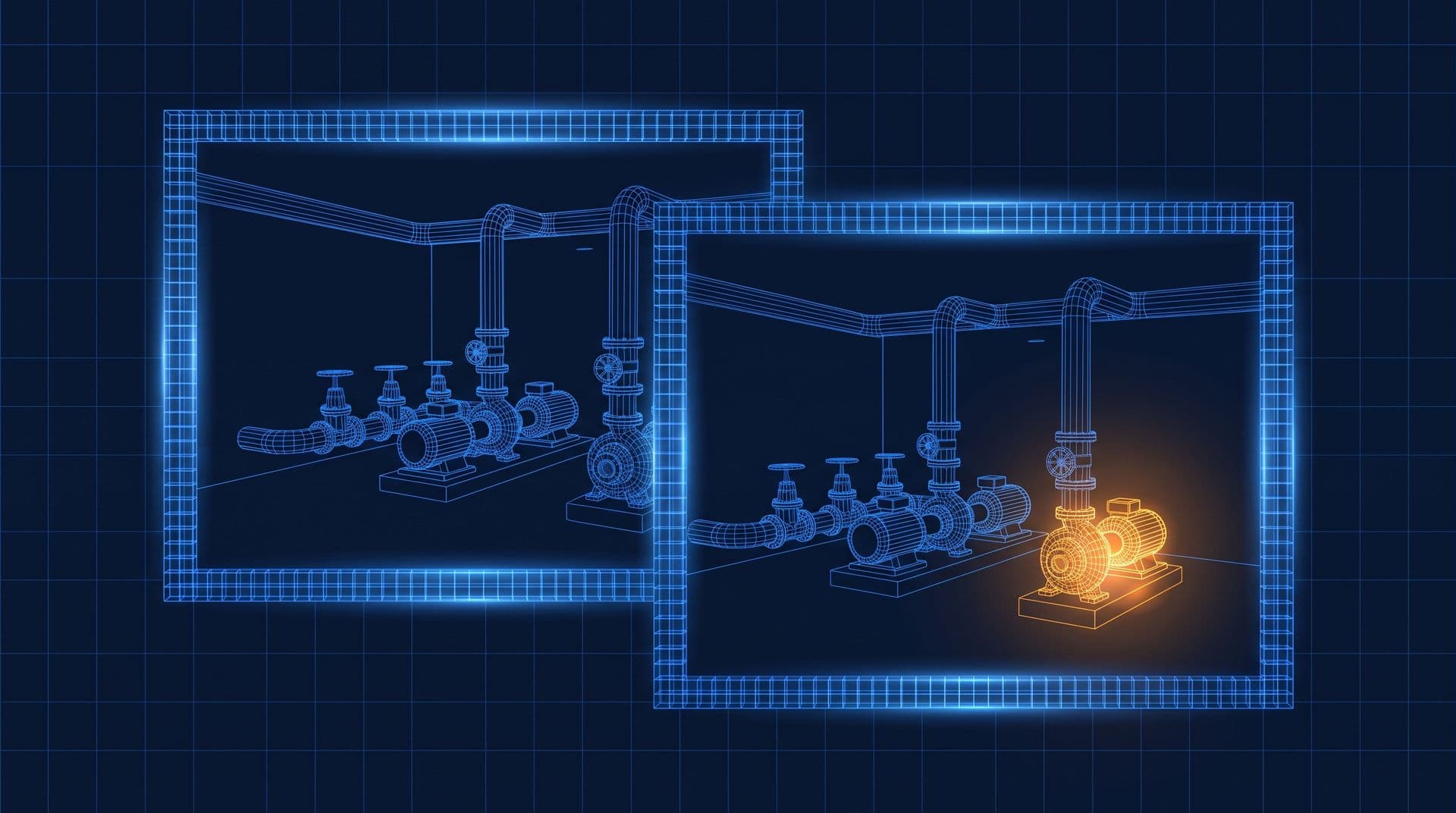
Pause the plant room clip at 2:00 a.m. and step forward one frame. Then another. The pipes, the valves and the floor are exactly where they were, and so are the shadows. The only thing that changes is a small patch around CWP-2, where its shaft spins behind the guard.
Part 10 ended on a puzzle. Raw video needs about 187 MB a second, because each of its 30 frames a second is a full screenful from Part 7, and yet the clip arrives about 750 times smaller. So how does video compression work, and how can so few numbers rebuild every pixel? Well, the clue is in those frames we just stepped through.
Key frames
A minute of raw video is about 11 GB, and a night of it would fill several laptop drives, so we need some tricks. The first one works on one picture at a time. Let's cut the frame into small squares, say 8 by 8 pixels. Inside most squares the colour hardly changes, like a patch of grey wall, the side of a blue pipe, or some smooth shading. So what if we describe each square as a mix of a few standard patterns (a flat colour, a gentle fade from one side to the other, then finer and finer stripes), and only send how much of each pattern there is?
For a smooth square, nearly all of it is the flat colour, and the stripy patterns come out close to zero. So we round the small amounts off to exactly zero, and now most of the square's 64 numbers are zeros. We lose a little detail, mostly the very fine kind the eye doesn't miss, which is the same kind of squeezing that shrinks the 36 MB phone photo in Part 1 to a few megabytes. A picture squeezed this way, on its own, with no help from any other frame, is what we call a key frame.
Then comes the packing. Values that come up often, like zero, get very short codes, and rare values get longer ones, a bit like Morse code giving the common letter E a single dot. That squeezes the numbers again without losing anything.
How video compression works
A key frame is still fairly big, though, and frame 2 at 2:00 a.m. looks almost exactly like frame 1. So what if frame 2 doesn't describe the picture at all, and just says how to make it from frame 1?
The camera's encoder cuts frame 2 into bigger blocks, say 16 by 16 pixels, and for each one it searches frame 1 for the best match. For a block of wall, the best match is the same wall in the same place, so the instruction is just "skip, same as before", which costs a few bits. For a block where something moved, the encoder finds the patch in frame 1 that looks most like it, maybe 3 pixels to the left, and sends that shift, which we call a motion vector, plus a small correction for whatever still differs, squeezed with the same patterns as before. A frame built like that is a predicted frame, and building frames from moved pieces of the last one is what we call motion compensation.
So let's count. A 1920 × 1080 frame in 16 × 16 blocks is
$$\frac{1920}{16} \times \frac{1080}{16} = 120 \times 67.5 \approx 8{,}100 \ \text{blocks}$$
In the quiet plant room, say 40 of them change (illustrative), around the pump. The other 8,000 or so are "skip". So the whole frame might come to about a kilobyte, against 6.2 MB raw.
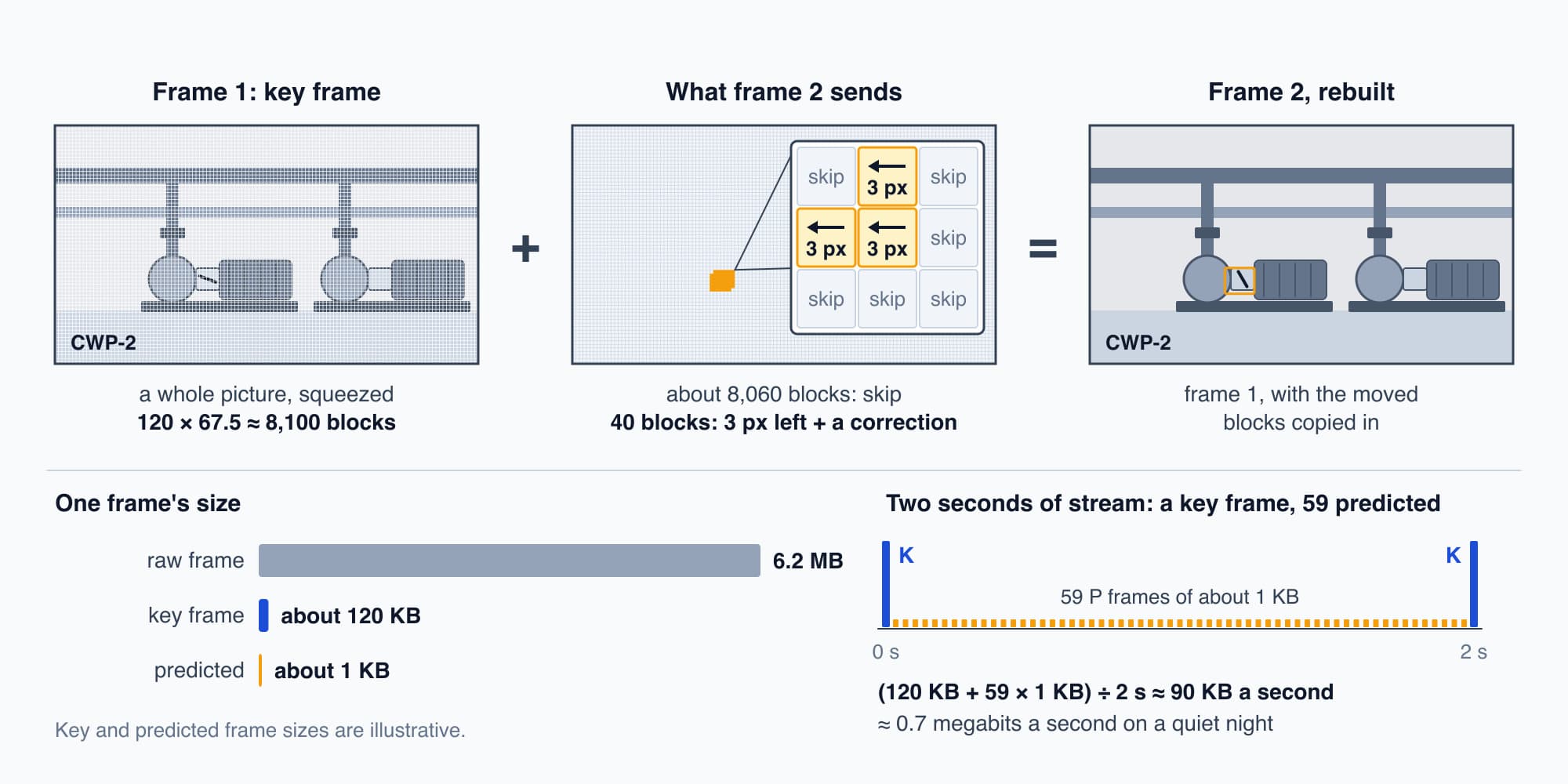
Between key frames, a quiet scene sends little more than "skip" and a few moved blocks.
But we can't send only changes forever. If a packet goes missing, every frame after it builds on a mistake, and anyone who jumps into the clip at 2:17 needs a whole picture to start from. So every second or two (it's a camera setting), the stream sends a fresh key frame, and the changes start again from there.
Let's put a quiet night together (all illustrative). Say each key frame is about 120 KB, one comes every 2 seconds, and the 59 frames in between are about 1 KB each:
$$\frac{120 \ \text{KB} + 59 \times 1 \ \text{KB}}{2 \ \text{s}} \approx 90 \ \text{KB a second} \approx 0.7 \ \text{megabits a second}$$
That's well under the 2 megabits we allowed, and about 2,000 times smaller than raw. The rules for all of this, how to describe the squares, the motion and the corrections, are written down as standards with names you may have seen, like H.264 and H.265, so that any camera and any player can agree on how to read the stream.
Decoding
So what reaches the video player on the laptop is a stream of instructions for making pictures. To rebuild each frame it unpacks the codes, turns each square's pattern amounts back into pixels, copies each moved block from the last frame, adds its correction, and writes the result into a buffer for the screen (Part 7). Turning pattern amounts back into pixels takes a long run of multiplications and additions for every square, millions of them in every frame.
A processor core could do it, but a modern laptop chip has a circuit built just for this job, a video decoder that sits beside the GPU and is wired to do exactly these steps using very little energy. That's why a laptop can play video for hours on its battery while its main cores sit nearly idle.
Sound
Now let's add the sound. Say this camera has a microphone (many don't), so the clip carries the hum of the pumps. Sound is a wave of pressure in the air, and a microphone turns it into a voltage that rises and falls with the wave. Then an analog-to-digital converter (ADC), the same kind of converter that turned the CO2 sensor's 3 V into the count 2,458 in Electricity Part 20, measures that voltage thousands of times a second, and each measurement is a sample, as in Part 1. Video files commonly use 48,000 samples a second, a little more than the CD's 44,100, each a 16-bit number. So sound, like everything else in this course, ends up as a list of numbers, and it gets compressed too, by leaving out sounds the ear can't pick out under louder ones.
On the laptop it goes the other way. A digital-to-analog converter (DAC), the ADC in reverse, turns each number back into a voltage, 48,000 times a second. An amplifier makes that voltage strong enough to drive current through a coil of wire sitting in a magnet's field, and the coil pushes a light cone in and out, which pushes the air. It's the electromagnet from the relays in Part 2, doing a new job. The cone follows the numbers, so the air in front of the speaker follows the original hum.
Keeping picture and sound together
So now there are two streams, pictures and sound, rebuilt by different circuits. How do they stay in step? Well, every frame and every chunk of sound carries a timestamp, the moment it's meant to be seen or heard. The sound hardware plays samples at a steady 48,000 a second, so the player uses the sound as its clock and shows each frame when the sound reaches that frame's time. If a frame turns up too late, the player drops it, because we notice a skipped frame far less than a gap in the sound.
Quiet scenes and busy ones
So, back to the pictures. With the blocks and the "skip" in mind, we can see why a quiet scene streams in a trickle and a busy one needs much more. In the plant room at 2 a.m., about 40 blocks out of 8,100 change. In the tower's lobby at 8:30 a.m., with people walking through, hundreds or even thousands of blocks change in every frame, and each one needs its own motion vector and correction. Rain, a flickering light or a camera that pans can change nearly every block. So CCTV cameras usually let the stream rise and fall with the scene, up to a cap, and that's called a variable bit rate. It's why a recorder's drive fills faster on busy days. And when the cap is too low for a busy scene, the encoder has to round off more detail, which is when video goes blocky.
Try it. Say the plant room gets busy, with a maintenance crew walking round, and 2,000 of the 8,100 blocks change every frame, at about 25 bytes each (illustrative). Roughly what bit rate does the stream need between key frames, and what happens if the camera is capped at 2 megabits a second?
Show the worked answer
Each frame needs about 2,000 × 25 = 50,000 bytes, or 50 KB. At 30 frames a second that's
$$50 \ \text{KB} \times 30 = 1.5 \ \text{MB a second} = 12 \ \text{megabits a second}$$
That's six times the 2 megabit cap. So the encoder has to round off far more detail in each block to fit, and the picture goes soft and blocky while the crew moves around. It sharpens again once they've left and the blocks go back to "skip".
The plant room at 2 a.m.
So let's watch the clip at 8:05. All night the camera's encoder sent a key frame every 2 seconds, and in between, frames that said little more than "skip" for 8,000 blocks and "this patch moved" for a few dozen around CWP-2. The recorder from Part 9 stored that stream block by block. When the facility manager opens the building's CCTV app on the laptop and picks 2:00 a.m., the recorder looks up the key frame just before it in its index, and the stream crosses the network from Part 10. The laptop's decoder rebuilds each frame from the one before, writes it into the framebuffer, and the display controller sweeps it out. And there's CWP-2, running steadily, with every chiller next to it switched off.
A whole computer
So that's a whole computer. We started from a switch, built a processor, gave it an operating system, and connected it to a screen, a trackpad, a drive, a network and a speaker. And every one of those turned out to be the same thing to the processor, numbers at addresses, being changed, compared and copied.
But the laptop is only one kind of computer in this story. The tower is full of others, running its pumps, fans and valves, and they're built for a very different job. A laptop can pause for a moment and nobody minds. A pump controller has to do the right thing every second for years. So what's different inside them? That's Part 12: Building Controllers: PLCs and DDC.
This is Part 11 of 13 in Cobler's How a Computer Works course. Previous: Networks and Packets. Next: Building Controllers: PLCs and DDC.
Cobler builds CobiNeural, which shows a building's readings and alerts in an ordinary browser, so the numbers behind a fault are a tap away. To see it on your own site, request a demo.
FAQ
Frequently asked questions
Ask us about this topic
Something in this article you want to dig into — or a situation in your own building it doesn't quite cover? Send us your question. We don't run public comments; the team replies to you directly by email.