Blog
How a Computer Works: Start Here
The map to Cobler's free 13-part How a Computer Works course. We build a computer from one switch, then follow a facility manager's 8:05 a.m. tap on a pump alert all the way to the screen, the network and the building's own controllers. Every part has an interactive.
 Tan Kok XinHow a Computer Works
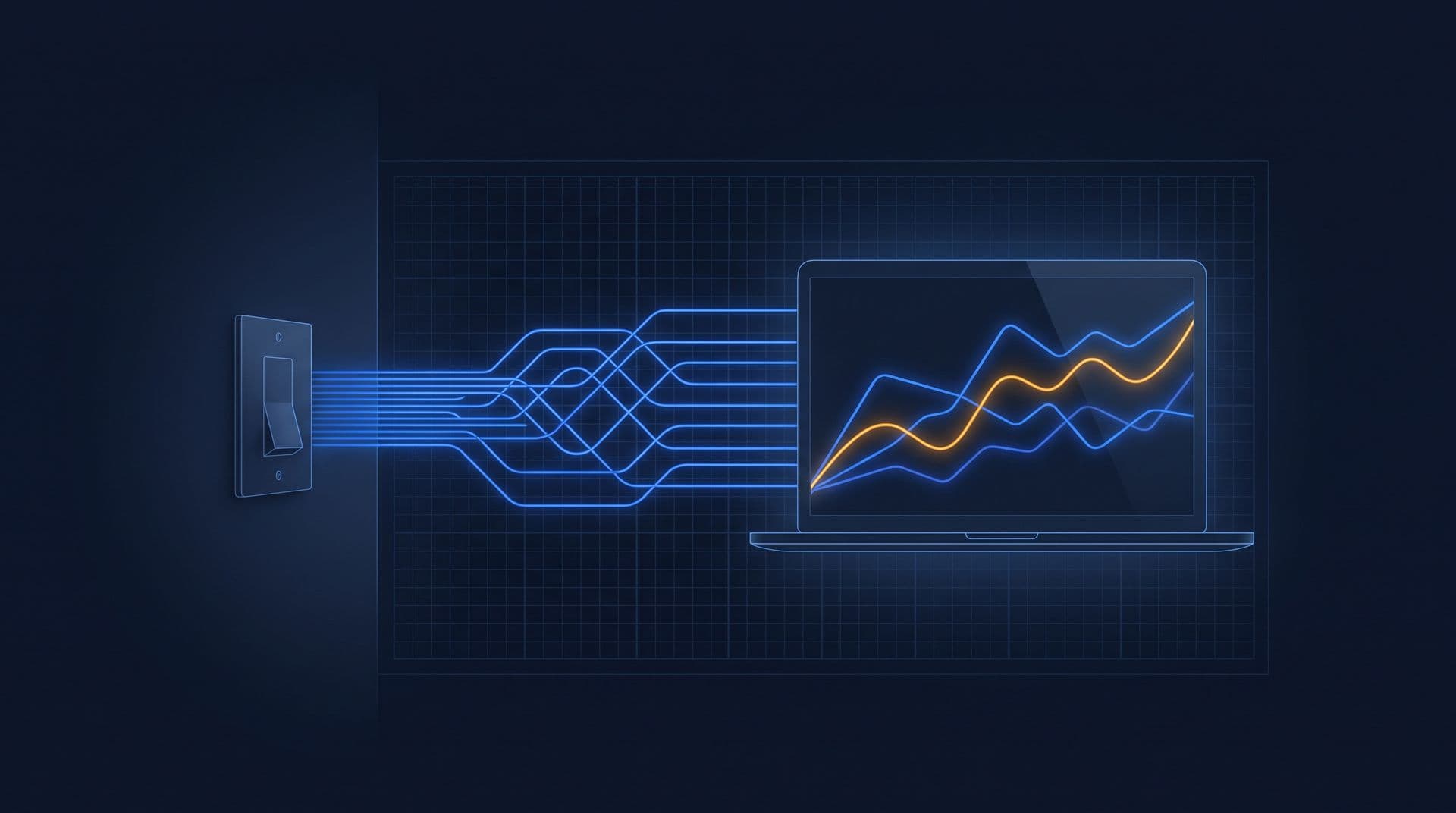
Cobler's free How a Computer Works course: 13 parts in three acts, from one switch to the controllers that run a building. No computer or electronics background needed.
It's 8:05 on a Monday morning in a 20-storey office tower in Kuala Lumpur, and the facility manager has just started up their laptop. There's an alert waiting from 2 a.m. Condenser water pump CWP-2, down in the chiller plant, has been drawing 27 kW while every chiller was off. They tap it, and a chart of the pump's power through the night draws itself on the screen. Then they open the building's CCTV app, find the clip of the plant room and press play. All of that takes under a second.
So what actually happened in that second? Well, inside the laptop, billions of tiny switches flipped on and off, and so did billions more in a server in the cloud and in the CCTV recorder in the security room. But going from "billions of switches" to "a chart appears when I tap" is a huge jump. Honestly, I've struggled with that jump myself. I could follow how one switch or one gate works, but I couldn't get my head around how that turns into a screen, a click or a video loading.
So that's what this course is for. We're going to build the whole thing ourselves, starting from one switch and adding one piece at a time, until we can follow that tap from the laptop's glass all the way down to the pump and back.
And it's worth the effort, because of what that tap really shows. Not long ago, a pump like CWP-2 running all night would only get caught if someone happened to walk past it on a night round, or noticed the bill weeks later. Now the pump's own readings travel to the person who can do something about it, and they're waiting when the working day starts. That kind of instant information is what computers changed, in buildings and everywhere else.
How the course works
Each part starts where the last one got stuck, and it ends on a new problem that the next part solves. Part 1, for example, ends with switches that hold numbers but can't do anything with them, so Part 2 builds switches that flip other switches. So the course is really one long construction, and it's worth reading in order the first time.
Every part has at least one interactive you can play with. There's a row of switches you flip to make a byte, an adder you can watch carry, a memory you can write to and then switch off, and a toy computer you can step through one tick at a time. There are also "Try it" questions, with worked answers you can open when you're ready.
And we keep coming back to the same building and the same morning. The tower is the one from our Electricity Fundamentals course, but you don't need that course for this one, and where it helps, a part links to it.
The idea we're heading for
There's one idea the whole course builds towards, and it's worth saying now so you can watch it arrive. To the processor, the outside world is more memory. The screen, the mouse, the drive and the network all turn out to be numbers at addresses, so everything a computer does, from drawing that chart to playing that clip, comes down to numbers being changed, compared and copied. It probably sounds too simple right now, but by the end of Act 2 you'll have seen it work for every step of the 8:05 tap.
Who it's for
This course is for anyone who uses a computer every day and has wondered what's going on inside it, including students who want the ideas before the jargon, and facility staff who work with controllers, dashboards and alerts. You don't need any maths beyond adding and subtracting, and we'll do those in binary together.
By the end, you should be able to:
- Explain bits, bytes, logic gates, adders, memory and the processor, and how each one is built from the one before.
- Step through a small program on a toy processor, tick by tick.
- Explain how a computer starts up, draws a screen, knows where you tapped, keeps files and streams video across a network.
- Say how a building controller differs from a laptop, and follow one reading from a pump's meter to a chart on a screen.
How a computer works, in 13 parts
So here's the map, in three acts. Act 1 builds a processor from one switch. Act 2 turns that processor into the computer you actually use. And Act 3 takes it into the building, to the controllers that run the plant and the path CWP-2's reading took to reach that chart.
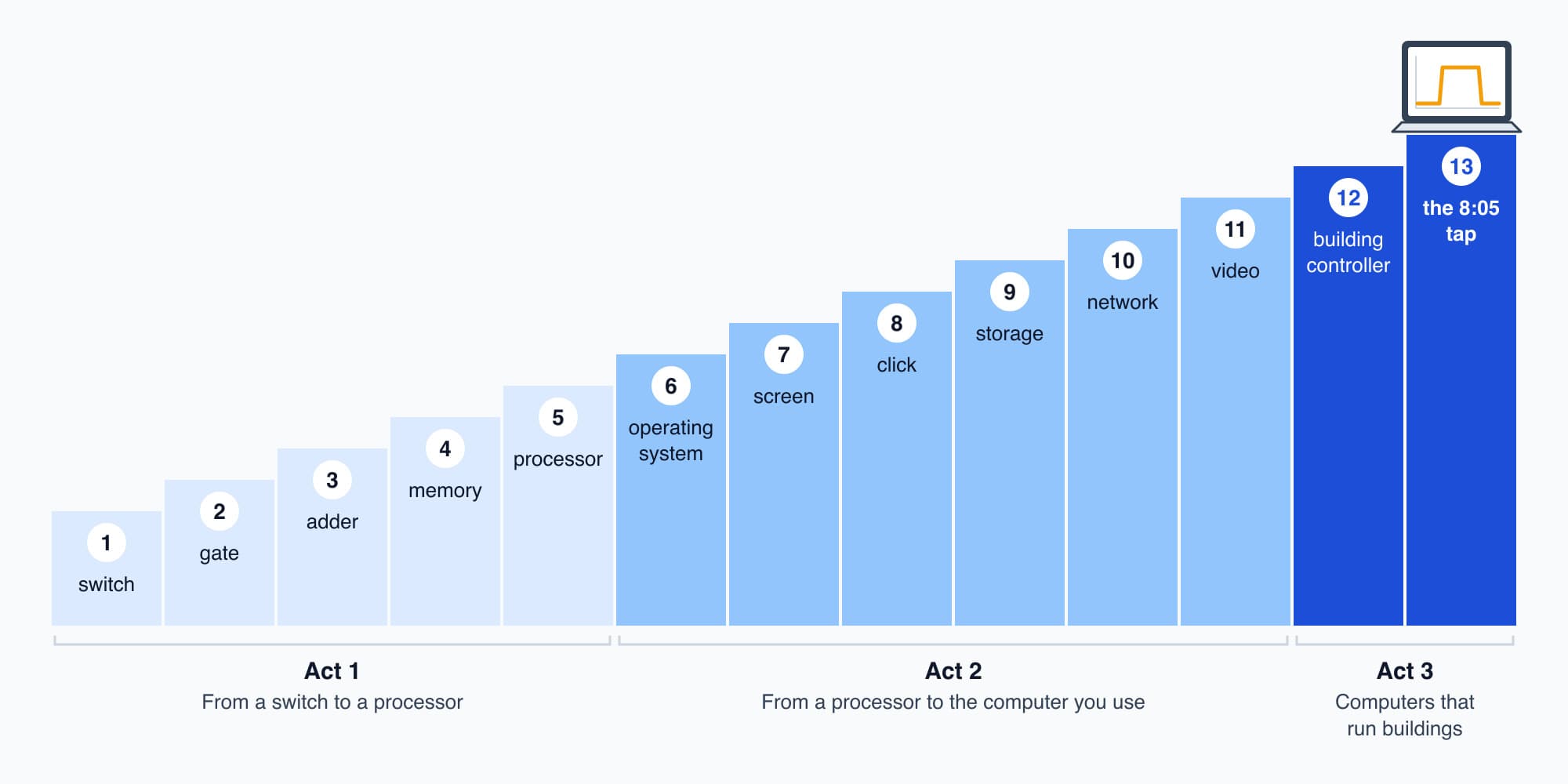
Each part builds on the one before, from one switch to the tap on the 8:05 alert.
Act 1: From a switch to a processor
- Part 1. Bits and Bytes One switch is one bit and eight make a byte, and a letter, a colour or a pump's reading all turn out to be numbers that just sit there.
- Part 2. Logic Gates Switches that flip other switches, relays and then transistors, wired into AND, OR, NOT and NAND, and the interlock that stops two pumps running together.
- Part 3. Adding in Binary: the Adder and the ALU Gates that add, subtract by adding, and compare by reading one bit. It ends with an answer that vanishes.
- Part 4. Memory: Latches, Registers and RAM Gates that remember, a clock to keep them in step, rows of numbers picked by address, and why RAM forgets.
- Part 5. The Processor: Fetch, Decode, Execute A loop that fetches instructions from memory and runs them by itself, on a toy computer running a fresh-air damper program.
Act 2: From a processor to the computer you use
- Part 6. Programs and the Operating System What happens when you press the power button, and how one processor seems to run twenty apps at once.
- Part 7. The Screen: Pixels, Frames and the GPU The screen is a block of memory read 60 times a second, and a GPU's thousands of small cores fill it.
- Part 8. Clicks and Key Presses How the computer knows where you tapped, as a few sums, four subtractions and a jump.
- Part 9. Storage: How a Drive Keeps Files Flash memory that keeps its bits with the power off, and what a file really is.
- Part 10. Networks and Packets Numbers sent in addressed packets, passed from router to router and put back in order.
- Part 11. Video and Sound How a CCTV stream about 750 times smaller than the raw picture still plays as video.
Act 3: Computers that run buildings
- Part 12. Building Controllers: PLCs and DDC The same kind of processor, asked to run a pump safely every second for ten years.
- Part 13. Capstone: Following One Click The 8:05 tap, followed out to the meter on CWP-2's feeder and back, with every link named.
Where this course fits
The Learn page has all of Cobler's courses, and two of them sit right next to this one.
- Electricity Fundamentals explains the physics underneath the switch, from electrons to relays and transistors. Its Part 21: Logic Gates and the CPU covers our Act 1 in one quick pass, from the electricity side.
- Building Automation and BMS Fundamentals picks up from our Act 3, with the systems that run a building's plant. Start with What Is a Building Management System (BMS)?
Where Cobler comes in
The alert and the chart in our opening scene are the kind of thing Cobler builds. CobiNeural collects a building's meter and sensor readings, flags the ones that drift from normal, like CWP-2 at 2 a.m., and shows them on any screen. If you'd like to see your own building that way, talk to us.
We'll come back to that 8:05 tap at the very end, in Part 13, and by then we'll be able to name every link in it. So let's get started. In Part 1: Bits and Bytes we take a light switch on the wall and ask how a switch can hold anything at all.
FAQ
Frequently asked questions
Ask us about this topic
Something in this article you want to dig into — or a situation in your own building it doesn't quite cover? Send us your question. We don't run public comments; the team replies to you directly by email.